


Top 10 Reasons to Upgrade Your Website in 2026

Websites rarely break all at once. They age quietly: pages load a little slower, the design starts to look dated, search engines change what they reward, and enquiries drop without an obvious cause. By the time the problem is visible, businesses with newer sites have already picked up the customers you were missing.
The short answer: you should upgrade your website in 2026 if it is slow on mobile, hard to navigate, difficult to update, not fully secure or not turning visitors into enquiries. A well-planned upgrade improves speed, search visibility, accessibility and security, and it makes your pages easier for Google and AI assistants to understand and cite. Most businesses do not need to start from scratch; they need an upgrade that keeps what already works and fixes what does not.
At BragDeal, a web design agency serving Vancouver and Kelowna, these are the ten reasons we see most often when businesses ask us to look at their site. After the list, you will find a practical plan for upgrading without losing the rankings you have already earned.
Quick summary: 10 reasons to upgrade your website
- First impressions: an outdated site quietly costs you trust.
- SEO foundations: search engines expect technical basics that older sites often lack.
- Site structure: clear organization helps people and search engines find what matters.
- Speed and mobile: Core Web Vitals and phone usability affect experience and rankings.
- Conversions: your site should generate leads, not just exist.
- AI search visibility: AI Overviews and AI assistants favour clear, well-structured pages.
- Accessibility: WCAG 2.2 is the current standard for a site everyone can use.
- Business changes: new services, priorities and locations need to be reflected online.
- Brand: a refreshed site helps you stand out instead of blending in.
- Security and maintenance: ageing software is a liability you cannot ignore.
Prefer to watch? This BragDeal video looks at why upgrading your website should start with a plan.
What is a website upgrade?
A website upgrade is any planned improvement to an existing website’s design, technology, content or performance that does not necessarily mean rebuilding it from the ground up. It can be as focused as speeding up slow pages and fixing mobile layouts, or as broad as reorganizing your services, refreshing the design and moving to a more modern platform.
A website redesign sits at the larger end of that range: a new visual design, new page templates and often a new structure. If you are weighing the two, see how to decide between an upgrade, a redesign or a migration further down this page.
Signs it is time to upgrade your website
Not sure whether your site needs work? Use this quick self-check. If two or three of these sound familiar, it is worth planning an upgrade.
- Visitors leave quickly. A high bounce rate, meaning many visitors leave after viewing a single page, often points to slow loading, confusing design or content that looks out of date.
- You get traffic but few enquiries. People are finding you, but calls to action are missing or unclear, so they never take the next step.
- Pages lead nowhere. Dead ends, such as pages with no links or calls to action, error pages and empty search results, stop visitors in their tracks.
- The design feels busy. Too many messages, banners and offers competing for attention make it harder for people to find what they came for.
- It is hard to edit. If changing a sentence or a photo means waiting on a developer, your website is slowing your business down.
- It is slow or awkward on a phone. Text that needs zooming, buttons that are hard to tap and slow pages all push mobile visitors away.
- Your forms attract spam. A steady stream of junk submissions usually means missing spam protection, and it can point to wider security gaps.
- Customers mention problems. Complaints or feedback about your website are some of the most useful signals you will get, so treat them as a to-do list.
- Your business has outgrown it. New services, products or ways of working, such as selling online or running virtual sessions, are not reflected on the site.
- You are not proud to share it. If you hesitate before sending someone your link, that alone is a good reason to change it.
Each sign maps to one or more of the reasons below.
1. Your website is your first impression, and an outdated one costs trust

Upgrade your website because people judge your business by it before they ever pick up the phone. Most customers look a business up online before contacting it, usually on a phone and often while comparing several options side by side.
A site built several years ago was designed for different devices, expectations and, often, a different version of your business. Small details add up: a cramped layout, generic stock photos, an old copyright year in the footer, a gallery that no longer loads or a contact form that looks abandoned. Each one gives a visitor a reason to doubt you and click back to the search results.
Upgrading is not about chasing design trends. It is about removing those small doubts with clean typography, generous spacing, real photos of your team and work, clear calls to action and current proof such as reviews and recent projects. If you are unsure whether your site looks dated, run through the signs it is time to upgrade above.
2. Search has changed, and your SEO foundations need to keep up
Upgrade your website because the technical foundations search engines rely on have moved on since most older sites were built. Google uses mobile-first indexing, which means it primarily looks at the mobile version of your pages when deciding how to rank them. A site that hides content or breaks on a phone is judged on that weaker version.
Older sites also tend to carry quieter problems: duplicate page titles, missing meta descriptions, headings used for styling rather than structure, thin service pages and no structured data. Structured data, also called schema markup, is code that labels your content, such as your business name, services, reviews and FAQs, so search engines can read it without guessing.
An upgrade is the ideal time to fix all of this at once. Clean URLs, a logical heading hierarchy, descriptive titles, an accurate sitemap and proper schema give your content a fair chance to compete. Our search engine optimization team builds these foundations into every upgrade, and because search keeps evolving, it is worth maintaining and updating your SEO long after launch.
3. A clearer site structure helps people and search engines find what matters
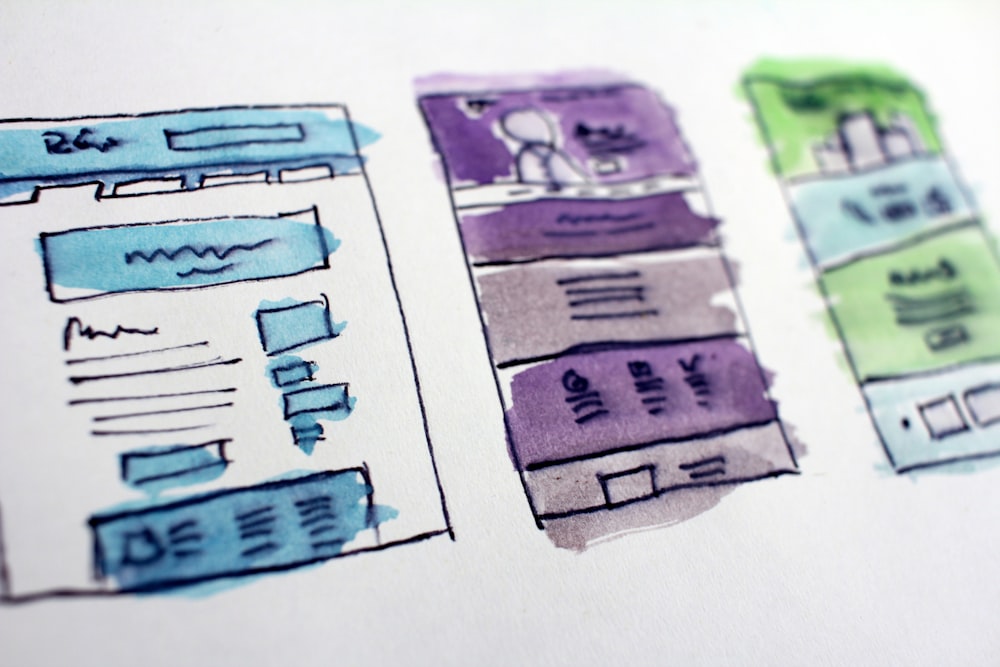
Upgrade your website when its structure no longer matches the way customers look for you. Site architecture is how your pages are organized and linked together, from the main menu down to individual service and location pages.
Most websites grow by addition. A new service gets squeezed into the menu, a promotion page outlives its promotion, blog posts sit unlinked and two pages end up competing for the same topic. Over time, visitors need more clicks to find simple answers, and search engines struggle to tell which page matters most.
A good structure is simple to describe:
- One focused page for each core service you want to be found for.
- A short, predictable main menu with your most important pages first.
- Internal links that connect related services, articles and case studies.
- A clear path to contact or booking from every page.
An upgrade lets you consolidate overlapping pages, retire dead ones properly and rebuild navigation around real customer journeys. For more ideas, see our tips to improve website user experience and conversions.
4. Speed, Core Web Vitals and mobile experience now shape results

Upgrade your website if it feels slow, especially on a phone, because speed affects both how visitors behave and how Google evaluates your pages. Core Web Vitals are Google’s metrics for real-world page experience, measured from actual visitors’ devices:
- Largest Contentful Paint (LCP) measures how quickly the main content of a page appears.
- Interaction to Next Paint (INP) measures how quickly the page responds when someone taps, clicks or types.
- Cumulative Layout Shift (CLS) measures how much the layout jumps around while it loads.
INP replaced First Input Delay as the responsiveness metric, and it is harder to pass because it looks at interactions across the whole visit, not just the first one. Older sites built on heavy themes, oversized images, sliders and stacks of plugins often struggle here.
Upgrades fix the causes rather than the symptoms: modern image formats, lazy loading, lighter templates, fewer scripts, proper caching and reliable website hosting. Mobile usability matters just as much. Readable text, tap targets that are easy to hit, short forms and a click-to-call button make a real difference, especially on mobile devices. If you want to dig deeper, read our guide to why your site is slow and how to fix it.
5. Your website should generate leads, not just exist

Upgrade your website when it gets visitors but not enough enquiries, because low conversion is usually a design and content problem that can be fixed. Your conversion rate is the share of visitors who take the action you want, such as calling, booking or submitting a form.
The usual culprits are easy to spot once you look for them: a vague headline that does not say what you do or where, calls to action buried at the bottom of the page, long forms that ask for too much, no reviews or credentials near the point of decision, and phone numbers that cannot be tapped on mobile.
An upgrade lets you rebuild pages around one clear goal each. Lead with a plain statement of what you offer and who it is for, place a primary call to action where it is visible without scrolling, keep forms short and put proof right beside them. Once the basics are in place, A/B testing, also called split testing, lets you compare two versions of a page to see which one earns more enquiries.
Some businesses also benefit from purpose-built tools such as quote calculators, booking systems or client portals. When off-the-shelf plugins fall short, custom web app development can turn your site into a working part of your sales process.
6. AI search engines favour clear, well-structured pages

Upgrade your website so that AI-powered search tools can understand it, trust it and cite it. Google now shows AI Overviews, which are AI-generated summaries at the top of many search results, and assistants such as ChatGPT, Gemini and Perplexity answer questions directly while linking to the sources they used.
Your website is only half of it. Listings, reviews and mentions elsewhere decide whether assistants name you, which we cover in how to get your business recommended by ChatGPT and Google AI Mode.
AI search optimization, sometimes called generative engine optimization or GEO, is the practice of making your content easy for these systems to find, interpret and quote. They tend to draw on pages that answer questions clearly, and older sites often make that hard: answers buried in long introductions, vague headings like “Welcome”, important text locked inside images or sliders, and business details that differ from page to page.
The fixes overlap with good writing and good SEO:
- Put a direct answer near the top of each page, then expand on it.
- Use descriptive headings that say exactly what each section covers.
- Keep paragraphs short and use lists where they genuinely help.
- Add FAQ sections and structured data that match the visible content.
- Keep your business name, address, phone number and services consistent everywhere.
- Show who wrote the content and when it was last updated.
No one can guarantee an AI citation, but a clear, well-structured site gives you a far better chance. Learn more about our AI SEO services or read our guide on how to write content that shows up in AI search results.
7. Accessibility is now a baseline expectation

Upgrade your website so that everyone can use it, including people who rely on screen readers, keyboard navigation, captions or screen magnification. The Web Content Accessibility Guidelines (WCAG) are the international standard for accessible websites, published by the World Wide Web Consortium (W3C). WCAG 2.2 is the current version, and it added requirements covering visible keyboard focus, minimum target sizes, alternatives to dragging movements and logins that do not depend on memory puzzles.
Older websites commonly fail on the basics: low colour contrast, images without alt text, form fields without labels, menus that cannot be used with a keyboard, tiny buttons and carousels that move on their own. Canada has accessibility legislation at the federal level and in several provinces, including Ontario and British Columbia, and expectations for accessible digital services continue to grow.
Accessibility also pays off beyond compliance. Clear headings, descriptive links, readable text and properly labelled images make a site easier for every visitor and easier for search engines to interpret. Our article on inclusive and accessible web design explains what this looks like in practice.
8. Your business has changed, and your website should show it

Upgrade your website whenever your services, priorities or ideal customers change, because an out-of-date site sends the wrong message to the wrong people. You add services, retire others, expand into new areas or move upmarket, while the website stays frozen at the moment it launched.
The cost is subtle: enquiries for work you no longer do, missed enquiries for work you now specialize in, and time spent explaining changes one customer at a time. Prospects who cannot see your current offer assume you do not provide it.
An upgrade brings everything back into line. Update service pages to match what you actually sell today, add pages for the locations you genuinely serve, refresh your portfolio with recent work and make sure your contact details match your Google Business Profile and directory listings. If you are pivoting, your website is the single best place to announce the new direction to every customer at once.
9. A stronger brand presence helps you stand out

Upgrade your website when it no longer reflects your brand, because your site is often the most complete expression of who you are. If you have refreshed your logo, refined your messaging or repositioned your services, an old website creates a gap between what customers see in person and what they find online.
Strong branding helps customers understand what you are about before they read a word. Consistent colours, typography, photography and tone across your website, Google Business Profile, social media and printed materials build recognition and trust over time.
Many older sites use generic templates that look like countless others in the same industry. An upgrade lets you create something distinctive while keeping the layout familiar enough that visitors know where to click.
10. Security and maintenance: an ageing website is a liability

Upgrade your website if it runs on outdated software, because old themes, plugins and server versions are one of the most common ways websites get compromised. WordPress powers a large share of the web, which makes neglected installations an attractive target for automated attacks.
Older PHP versions stop receiving security fixes, plugins get abandoned by their developers, and themes fall behind current WordPress releases. Warning signs include browser messages marking your site “Not secure”, a sudden flood of spam form submissions, unfamiliar admin users and pages you did not create. Beyond the immediate damage, a hacked site can be flagged in search results, which hurts the visibility you have worked to build.
A proper upgrade moves you to supported software, removes plugins you no longer use, enforces HTTPS across every page and sets up reliable backups and monitoring. Privacy matters too: contact forms, analytics and cookies should handle personal information in line with Canadian privacy law, such as PIPEDA. From there, a website maintenance plan keeps updates, security patches and backups running so the site never falls this far behind again. For a deeper checklist, see our website security and maintenance tips.
Upgrade, redesign or migration: how to decide
Not every website problem needs a rebuild. Most projects fall into one of three categories, and many combine two of them.
- Upgrade: improve the site you have. Best when the structure and design are broadly sound but speed, content, mobile usability, SEO or security need work.
- Redesign: replace the visual design, page templates and often the structure. Best when the site no longer reflects your brand, the layout works against your goals or patching it would cost more than starting fresh.
- Migration: move the site to a new platform, host or domain. Best when the current platform is hard to edit or cannot support the features, speed or security you need. Every page, URL and piece of metadata must carry over intact.
To decide, ask a few honest questions:
- Does the site visually reflect your brand, and would it persuade you to buy if you were the customer?
- Has the purpose of the site changed, for example from an online brochure to a lead generator or an online store?
- Do you need functionality the current setup cannot handle well, such as online booking, live chat, multilingual content or a connection to your CRM?
- What do your analytics show about traffic, engagement and conversions?
If the answers point to content, speed and technical fixes, an upgrade is usually enough. If they point to brand, structure and functionality all at once, a redesign, sometimes paired with a migration, is often the better investment. Either way, keep the pages, URLs and content that already perform, and rebuild around them.
How to upgrade your website without losing what already works

A website upgrade should improve results, not reset them. These steps help you capture the benefits above while protecting the traffic and reputation your current site has already earned.
1. Set clear goals for the upgrade
Decide what the upgrade needs to achieve before anyone touches a design file. More enquiries, faster pages, easier editing, better rankings for specific services or a refreshed brand all lead to different priorities. Clear goals keep the project focused and make it easy to measure success afterwards.
2. Audit what you have before changing anything
Review your analytics and Google Search Console to find the pages that bring in traffic and leads, the search terms you already rank for and the pages other websites link to. These are the assets to protect. Note your baseline for traffic, top landing pages, bounce rate, new versus returning visitors and conversion rate so you can measure the upgrade against it. Pages that get no visits and serve no purpose are candidates for consolidation.
3. Protect your URLs and SEO equity
Keep existing URLs wherever you can. When a page must move or merge, set up a 301 redirect, which is a permanent redirect that sends visitors and search engines from the old address to the new one and passes along most of the old page’s ranking value. Update internal links and submit your new sitemap in Search Console after launch.
4. Improve meta tags, headings and structured data
Give every important page a unique title and meta description, a single clear H1 and logical headings beneath it, and add structured data that matches the visible content.
5. Build in clear calls to action and lead capture
Every page should end with a clear next step, whether that is a call, a booking or a quote request. Closing sections work best with a direct, specific invitation rather than a generic “learn more”. Consider an email sign-up as well: newsletter email marketing lets you stay in touch with people who are not ready to buy yet. It also helps to link your website to your social media platforms so visitors can follow your work between visits.
6. Build and test on a staging site before launch
Upgrades usually go wrong in predictable ways: broken links, lost metadata, unplanned downtime or a site that feels off-brand. A staging site, a private copy of your website, lets you build and test changes without affecting visitors. Take a full backup of the files and database first, carry content over with its links and metadata intact, and test every page, form and key journey on different devices and browsers. Then switch over at a quiet time and monitor closely for the first few weeks.
7. Plan ongoing maintenance from day one
Launch is the start, not the finish. Budget time for software updates, security monitoring, backups, content refreshes and regular performance checks. A site that is maintained month to month rarely needs a dramatic rescue later.
Frequently Asked Questions About Upgrading Your Website
How often should I upgrade my website?
Treat your website as an ongoing project rather than a one-time purchase. Software updates, security patches and content refreshes should happen monthly or more often. Review design, structure and performance at least once a year. Many businesses find a larger upgrade or redesign becomes worthwhile every few years, or sooner when their services, brand or technology change significantly.
What is the difference between a website upgrade and a website redesign?
A website upgrade improves an existing site by fixing speed, updating content, modernizing the technology or refining the layout while keeping its overall structure. A redesign replaces the visual design and page templates, and often the site structure too. Many projects combine both: a refreshed design built on upgraded technology, with existing URLs and content preserved where they still perform.
Will upgrading my website hurt my Google rankings?
A well-planned upgrade should protect your rankings and often improves them. Problems usually come from changing URLs without redirects, deleting pages that earned traffic or links, or launching with missing titles and content. Keeping existing URLs where possible, setting up 301 redirects for any that change and checking Search Console after launch keeps that risk low.
How much does a website upgrade cost?
The cost depends on the scope. Speed fixes, mobile improvements and content updates on an existing site cost far less than a full redesign with new pages, custom functionality or a platform change. The most reliable way to budget is to start with clear goals and an audit of your current site, then get a quote based on that specific scope.
How do I make my website show up in AI search results?
Make your content easy for AI systems to understand and trust. Answer common customer questions directly near the top of each page, use descriptive headings, keep paragraphs short and add FAQ sections with matching structured data. Keep your business details consistent across your website and directory listings, and update important pages regularly. No one can guarantee AI citations, but clear structure improves your chances.
Can I upgrade my website without downtime or losing content?
Yes, in most cases. Take a full backup first, build and test the upgrade on a private staging copy, and carry over every page, URL and piece of metadata. Switching over at a quiet time and monitoring closely afterwards keeps any interruption brief. Problems usually come from editing a live site directly or skipping redirects for pages that move.
Ready to upgrade your website?
If your website feels slow, dated or quieter than it should be, an upgrade is one of the most practical investments you can make in 2026. BragDeal plans and builds website design upgrades and redesigns for businesses in Vancouver, Kelowna and across Canada, with SEO, accessibility and ongoing maintenance built in from the start.
Tell us what your current site is and is not doing for you, and we will recommend the right next step, whether that is a focused upgrade or a full redesign. Contact BragDeal to start the conversation.


Comments (0)
No comments yet. Be the first to share your thoughts.