


How to Get Your Business Recommended by ChatGPT and Google AI Mode
More of your customers are skipping the search results page. They open ChatGPT, Google AI Mode, Gemini or Perplexity and type something like “who is the best plumber near me?” or “recommend a family lawyer in Burnaby.” The assistant answers with a short list of names. If your business is not on that list, you never got the chance to compete.
The short answer: AI assistants recommend businesses they can find, understand and trust. To get recommended, let AI crawlers reach your website, keep your business name, address and phone number identical everywhere, complete your Google Business Profile and Bing Places listing, earn steady recent reviews, publish pages that answer customer questions directly, and get mentioned on the sites AI tools already trust. Classic SEO still matters, because Google’s AI features are built on its regular search ranking.
At BragDeal, we run AI visibility work for businesses in Vancouver, Kelowna and Los Angeles. This guide covers what we check first, in the order that usually makes the biggest difference.
Quick summary: 8 steps to get recommended by AI
- Make sure AI crawlers can actually reach your website.
- Make your business one clear, consistent entity across the web.
- Complete your Google Business Profile and Bing Places listing.
- Earn a steady flow of recent, detailed reviews.
- Publish pages that give customers direct answers.
- Get mentioned on the websites AI tools already trust.
- Keep your classic SEO strong.
- Test your prompts every month and measure AI traffic.
Why AI recommendations matter now
AI assistants have become a mainstream way to find a local business. In BrightLocal’s 2026 Local Consumer Review Survey of 1,002 US consumers, the share of people using ChatGPT and other AI tools for business recommendations jumped from 6% to 45% in a single year, making AI the third most popular source of recommendations. Trust is following: 40% of consumers said they trust AI platforms for business recommendations, against 32% who do not.
An AI answer is also narrower than a page of search results. Google shows ten blue links and a map pack. An assistant usually names three to five businesses, explains why, and stops. Being one of those names is worth far more than ranking on page two.
What does it mean to be recommended by AI?
Being recommended by AI means an assistant names your business in its answer as a good choice for the person asking. That is different from being cited, where your web page is listed as one of the sources the AI read. A recommendation puts you on the customer’s shortlist. A citation only proves your content was useful.
You want both. Citations build the trust that leads to recommendations, and recommendations are what bring in phone calls and enquiries. If you want to earn more citations for your content, read how to write content that shows up on AI search results.
How do AI assistants decide which businesses to recommend?
AI assistants work from what they can find and verify. When someone asks for a local recommendation, the assistant runs one or more web searches, reads listings, reviews and websites, and then summarizes what the strongest sources agree on.

Each platform draws on slightly different sources:
| Platform | Where its answers come from |
|---|---|
| Google AI Mode and AI Overviews | Google’s own search index and ranking systems, plus Google Business Profile data |
| Gemini | Google’s index and Google’s business information |
| ChatGPT | Its own search crawler (OAI-SearchBot), web search results and third-party business listings |
| Microsoft Copilot | Bing’s search index and Bing business listings |
| Perplexity | Its own crawler and live web search, always with linked sources |
Google is clear about its own AI features. Its documentation for site owners says a page only needs to be indexed and eligible to show a snippet in Google Search, and that there are no additional requirements or special optimizations needed to appear in AI Overviews or AI Mode. Google also explains that AI Mode uses “query fan-out”: it quietly runs several related searches on subtopics and combines the results. A business that covers the full topic, not just one keyword, is more likely to be picked up.
The pattern across every platform is the same. Assistants recommend businesses that are easy to find, described consistently, and backed by evidence from more than one source.
Step 1: Make sure AI crawlers can reach your website
An AI tool cannot recommend what it cannot read. Each platform uses its own crawler, and blocking one keeps you out of that platform’s answers.

| Crawler | Platform | What it does |
|---|---|---|
| OAI-SearchBot | ChatGPT | Decides whether your pages can appear in ChatGPT search answers |
| GPTBot | OpenAI | Collects content for training models |
| Googlebot | Google Search, AI Overviews, AI Mode | Crawls for Google Search and its AI features |
| Bingbot | Bing and Microsoft Copilot | Crawls for Bing and Copilot |
| PerplexityBot | Perplexity | Crawls for Perplexity answers |
| Claude-SearchBot and ClaudeBot | Anthropic’s Claude | Crawl for Claude’s search results and for model training |
OpenAI’s crawler documentation states that sites which opt out of OAI-SearchBot will not be shown in ChatGPT search answers. You can still keep your content out of AI training by blocking GPTBot while allowing OAI-SearchBot, and OpenAI says robots.txt changes take about 24 hours to take effect.
Check two places, not one. Your robots.txt file is the obvious one, but hosting firewalls, security plugins and CDN bot rules can also block AI crawlers even when robots.txt allows them. We regularly find a host security layer quietly turning away an AI crawler that the website owner never meant to block, which is one of the checks in our website maintenance plans.
Step 2: Make your business one clear, consistent entity
AI tools cross-check facts. If your website says “Smith Plumbing Ltd.”, Google says “Smith Plumbing & Heating” and an old directory has a phone number you stopped using in 2019, the assistant has three versions of you and less reason to trust any of them.
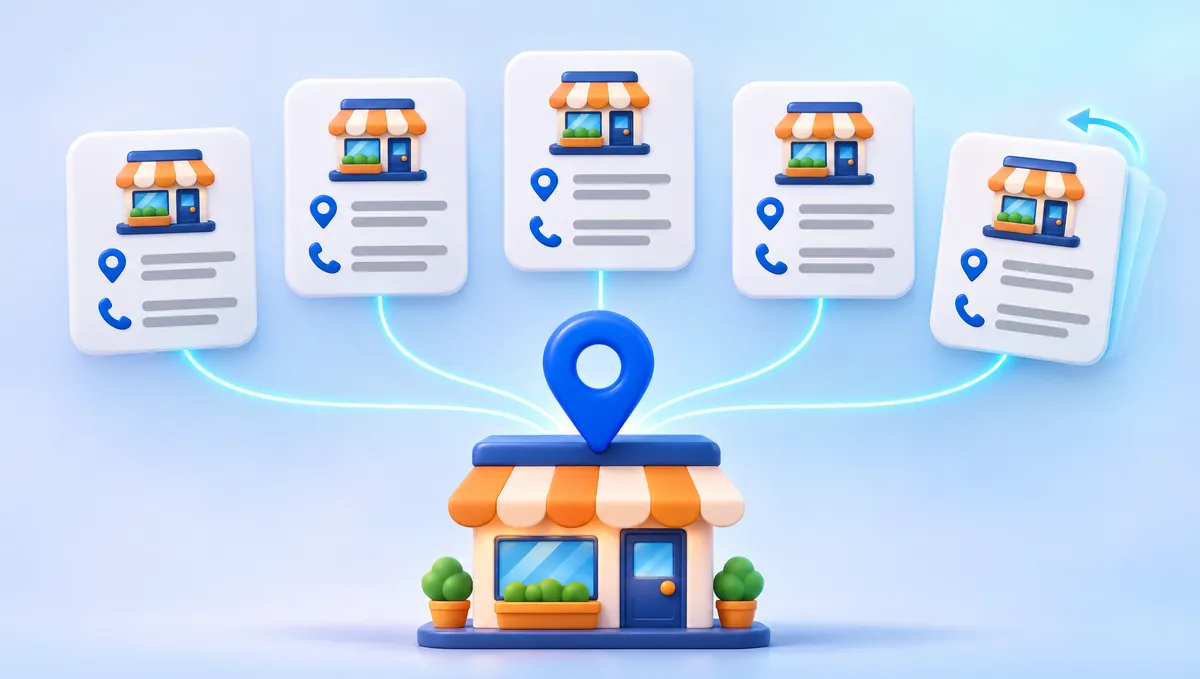
- Use exactly the same business name, address and phone number on your website, Google Business Profile, Bing Places, social profiles and directories.
- Add Organization or LocalBusiness schema markup to your website, with links to your official profiles.
- Fix or remove old listings with outdated addresses, phone numbers or business names.
- Make sure your website clearly states what you do, where you do it and who you serve, in plain words near the top of the page.
Contradictions are a real risk. AI assistants quote what they find, so a claim on one site that conflicts with another can end up repeated in an answer about your business.
Step 3: Complete your Google Business Profile and Bing Places listing
For local questions, business listings are often the first thing an assistant reads. Google’s guide to improving your local ranking says local results are based mainly on relevance, distance and prominence, and a complete, accurate profile helps with all three.
- Choose the most accurate primary category and add relevant secondary categories.
- List every service you offer, with a short description of each.
- Set your service areas, hours and holiday hours.
- Add real photos of your team, your work and your location.
- Keep your website link, phone number and booking link current.
- Claim and complete your Bing Places listing too. Microsoft Copilot runs on Bing, and many businesses have never touched their Bing profile.
Step 4: Earn a steady flow of recent, detailed reviews
Reviews are one of the clearest signals of trust, and the bar is rising. In the same BrightLocal survey, 31% of consumers said they will only use a business rated 4.5 stars or higher, up from 17% the year before. 47% will not use a business with fewer than 20 reviews, and 74% only care about reviews written in the last three months.

AI assistants read reviews as well as people. They often summarize what customers praise or complain about, and 82% of consumers say they read those AI-generated review summaries.
- Ask every happy customer for a review, at the moment the job is done.
- Ask them to mention the service they received and the area they are in. Detailed reviews give AI more to work with.
- Reply to every review, positive or negative, calmly and specifically.
- Never buy or fake reviews. It breaks Google’s policies, and fake reviews can break consumer protection law in both Canada and the US.
Step 5: Publish pages that give customers direct answers
AI assistants pull passages, not whole pages. A page that answers a question clearly in its first few sentences is much easier to quote than a page of marketing slogans.
- Give each core service its own page, and each important location its own page. See what pages every small business website needs.
- Start each section with the question as a heading and a direct answer in the first two or three sentences.
- Include specific facts: the areas you serve, how your process works, typical timelines, what is included, and who the service is for.
- Add a short FAQ to key pages, and make sure any FAQ schema matches the visible questions word for word.
- Show who wrote the content and when it was last updated.
If writing is not your strength, our website content writing team builds pages this way from the start, and a well-planned website design gives every service and location the page it needs.
Step 6: Get mentioned on the websites AI tools already trust
AI assistants rarely trust a business on its own word. They look for the same name showing up across independent sources: directories, review platforms, industry associations, local news, best-of lists and genuine community discussions.

- Get listed on the major directories in your country and the ones specific to your industry.
- Join your local chamber of commerce and industry associations, and make sure their member listings link to you.
- Pitch local news and trade publications with real stories: a project, a milestone, useful advice.
- Take part in community discussions on Reddit, Facebook groups or industry forums as yourself, helpfully. Do not post fake recommendations. They get spotted and they backfire. Our guide to getting quality traffic from Reddit, Facebook groups and LinkedIn shows how to do it the right way.
Step 7: Keep your classic SEO strong
AI search did not replace SEO. Google’s AI features are built on its core ranking systems, and the other assistants lean heavily on pages that already rank well. A fast, mobile-friendly, indexable website with solid local SEO is still the foundation. We explain why in more detail in do you still need SEO if Google is using AI search?
If your pages load slowly, start with why your website is slow and how to fix it. If the whole site is showing its age, these reasons to upgrade your website will help you decide what to fix first.
Step 8: Test your prompts and measure AI traffic
You cannot improve what you do not measure.

- Test monthly. Write down 10 to 20 questions a real customer would ask, such as “best roofing company in Kelowna” or “who should I hire to redesign my clinic website in Vancouver?” Ask each one in ChatGPT, Google AI Mode, Gemini, Perplexity and Copilot. Record whether you were named, who was named instead, and how you were described.
- Track AI referrals. In Google Analytics 4, look for visits from chatgpt.com, perplexity.ai, gemini.google.com and copilot.microsoft.com.
- Read Search Console carefully. Google counts clicks and impressions from AI Overviews and AI Mode inside the normal “Web” search type, so there is no separate AI report.
What you do not need to do
- You do not need special AI files to appear in Google’s AI features. Google says new machine-readable files and AI text files are not required for AI Overviews or AI Mode. A simple llms.txt file is cheap to add and some AI tools may read it, but it will not fix a weak listing or a thin website.
- You do not need separate content written “for AI.” Write for your customers and organize it clearly. Duplicate pages built only for AI can hurt you.
- You do not need to block AI crawlers to protect your content. If you are worried about training, block the training crawler (GPTBot) and allow the search crawler (OAI-SearchBot).
Common questions
How does ChatGPT choose which local businesses to recommend?
ChatGPT searches the web, reads business listings, reviews and websites, and then names the businesses that its sources consistently describe as a strong match for the request. Businesses with consistent details, good recent reviews and clear website pages are easier for it to find and trust. Blocking its search crawler, OAI-SearchBot, keeps your website out of its search answers.
Does Google AI Mode use my Google Business Profile?
For local questions, Google’s AI features draw on the same information that powers Google Search and Maps, and that includes Business Profile details such as categories, hours, location and reviews. Google says local rankings depend mainly on relevance, distance and prominence, so a complete and active profile helps you in both.
Do reviews affect whether AI recommends my business?
Yes. AI assistants read and summarize reviews, and consumers act on them: in BrightLocal’s 2026 survey, 82% of consumers read AI-generated review summaries and 47% will not use a business with fewer than 20 reviews. Recent, detailed reviews that mention your services and location give AI the strongest evidence.
Do I need an llms.txt file?
Not for Google. Google says no special AI files are needed to appear in AI Overviews or AI Mode. An llms.txt file is a short summary of your business and key pages that some AI tools can read. It is quick to add, but it supports good listings and good pages rather than replacing them.
How do I find out whether AI tools mention my business?
Ask them. Make a list of the questions your customers ask, run each one in ChatGPT, Google AI Mode, Gemini, Perplexity and Copilot every month, and record who gets named. Check Google Analytics for visits from AI platforms too. An AI visibility audit does this across a set of prompts and compares you with your competitors.
How long does it take to start getting recommended by AI?
It depends on your starting point. A business with a solid website, a complete profile and consistent reviews can see AI mentions improve within a few months of fixing the gaps. If crawlers are blocked or your business details conflict across the web, those foundations come first.
Get your business on the AI shortlist
AI assistants are now part of how customers choose who to call. The businesses that get named are the ones that are easy to find, described consistently and backed by real evidence across the web.
BragDeal’s AI search optimization starts with an audit of how ChatGPT, Google AI Mode, Gemini, Perplexity and Copilot describe your business today, then fixes what is holding you back. Contact us to find out where you stand.



Comments (0)
No comments yet. Be the first to share your thoughts.